Tactical War Camera Controller
A ground-level tactical camera inspired by the Total War series. Unlike the other controllers, this camera zooms by raising and lowering its altitude rather than moving forward and backward. Free-look pitch and yaw rotation is available via a held modifier key, letting the player survey terrain and units from any angle.
Controls
Keyboard
| Input | Action |
|---|---|
WASD or Arrow Keys |
Pan the camera |
Q / E |
Rotate camera yaw |
Shift |
Speed-up modifier — hold while panning for faster movement |
Space |
Reset pitch, yaw, and zoom to defaults |
Escape (Editor only) |
Release Game focus — stops camera input and frees the cursor |
Mouse
| Input | Action |
|---|---|
Alt + Scroll Click + Drag |
Free-look — rotate pitch and yaw freely |
Scroll Wheel |
Zoom in / out (raises and lowers camera altitude) |
You can also pan the camera by moving the mouse cursor to the edges of the screen.
Free-look binding
The free-look action uses a one-modifier composite binding (Alt + Scroll Click). For details on how to modify this, see the Unity Input System documentation on action bindings.
Remapping controls
All keybindings are defined in the InputActions asset for this controller. See Input Remapping.
Pan Speed Scaling
Pan speed automatically scales down as the camera zooms in, so movement stays smooth and precise at close range.
Configuration
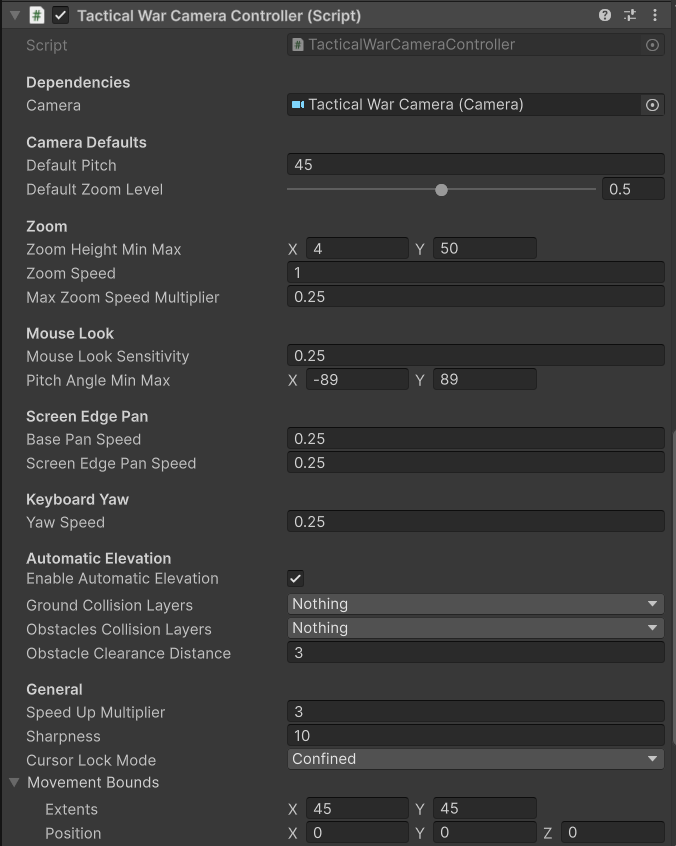
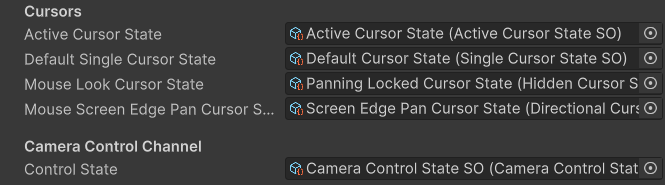
Key properties exposed on the controller component:
| Property | Description |
|---|---|
| Default Pitch | The pitch the camera resets to when Space is pressed |
| Zoom Height Min/Max | The lowest and highest altitude the camera can reach via zoom |
| Pan Speed | Base speed for keyboard, and edge-scroll panning |
| Speed-Up Multiplier | Pan speed multiplier when the Shift modifier is held |
| Yaw Speed | Rotation speed for keyboard yaw |
| Free Look Sensitivity | Mouse sensitivity for free-look pitch and yaw |
No Rig
Unlike the Classic RTS and Simulation cameras, the Tactical War Camera has no rig. The controller script manipulates the camera's transform directly.